How to Never Miss Assignment Deadlines in College
Missing one deadline might cost a few points. Missing several in a semester can tank your GPA, put financial aid at risk, and turn every Sunday night into a crisis. Most students don't struggle with motivation they struggle with systems.
This guide walks through the exact strategies high-performing students use to stay ahead of every due date, from prioritizing your workload to the tools that actually work across LMS platforms.
Why College Students Keep Missing Assignment Deadlines
Surveys and institutional data suggest that somewhere between 80% and 95% of students miss at least one assignment deadline per semester. Many struggle more with systems than with raw motivation. Most are managing due dates across several different platforms at once: Canvas shows one set, Blackboard shows another, and the professor posts a last-minute update in email. Nothing connects, and the mental load of keeping track becomes unsustainable by week four.
There's also a critical distinction most students don't know about. In LMS platforms like Canvas, a "due date" marks when the submission is expected and flags your work as late if missed. An "availability" or "Until" date determines whether the system accepts a submission at all. Many students submit work they believe is on time, only to find it locked out or marked late. Understanding how your specific LMS handles these settings directly affects your grades, not just your stress level.
The midnight deadline trap: Nearly 80% of students say they prefer midnight cutoffs because it feels like they have the whole day. Productivity studies suggest the opposite midnight deadlines encourage all-night cramming and increase submission errors tied to technical issues, with no buffer left for IT support.
The Priority Matrix: Ranking Deadlines Before the Workload Overwhelms You
The Eisenhower matrix divides tasks into four quadrants: urgent and important, important but not urgent, urgent but not important, and neither. Applied to coursework, this means separating high-weight assignments with approaching due dates from low-stakes busy work. A 40-point research paper due in three days ranks higher than a five-point discussion post due next week even if the discussion post feels easier to knock out first. Most students default to doing what feels manageable rather than what actually moves the needle. For a quick primer, review the Eisenhower matrix in the context of task management.
Build a simple grid at the start of each week that lists every pending assignment alongside its point value, percentage of your final grade, and due date. This forces a rational prioritization that gut instinct often gets wrong. If two assignments are due the same day, the one worth 25% of your grade gets your Monday and Tuesday; the one worth 5% gets your Wednesday morning. Weighted deadline management helps students focus on high-impact work.
| Quadrant | Description | What to Do |
|---|---|---|
| Urgent & Important | High-weight work, close due date | Do it first block your best hours |
| Important, Not Urgent | High-weight, deadline further out | Schedule it this is where great work happens |
| Urgent, Not Important | Low-stakes but time-sensitive | Do quickly or batch together |
| Neither | Low-value busy work | Minimize or drop |
Keep the quadrants lean no more than ten tasks per section at any time. Focus on shrinking the urgent-and-important quadrant through planning, so you spend more of your week in the important-but-not-urgent space where your best work actually happens.
Time-Blocking Your Week Around Assignment Deadlines
Do Dates and Personal Buffers
One of the most effective habits high-achieving students develop is setting an internal work deadline two to three days before the actual submission deadline. This "Do Date" approach creates a buffer for revisions, technical issues, and the inevitable life interruption. Students who build this personal grace period into their schedule tend to produce higher-quality work and experience less last-minute stress. One caveat: self-imposed deadlines work best when paired with accountability. Telling a classmate your Do Date or posting it somewhere visible makes it far stickier than keeping it to yourself.
Staggered Milestones for Larger Assignments
For papers, projects, and research assignments, staggered milestones are far more effective than a single looming due date. Set individual deadlines for topic selection, outline, first draft, and revision phase each tied to a specific calendar block. Breaking assignments into discrete steps improves both completion rates and final quality.
If you're unsure about citation timing or style expectations for those milestones, consult a Harvard referencing guide or an APA referencing guide early in the process so revisions don't become a last-minute scramble.
Dedicate specific recurring blocks in your week to assignment work, not just vague "study time." Monday evenings might be your research block; Wednesday mornings your writing block. When your calendar shows a concrete block labeled "draft introduction for PSYC 201 paper," it's far harder to skip than a reminder that says "work on stuff." Use your syllabus on the first day of each semester to map all major assignment deadlines into your calendar before things get rolling.
If you're managing four or more courses, consider day theming: assign a specific course or task type to each day. Monday for lecture reviews, Tuesday for group project work, Wednesday for lab reports, Friday for exam prep. This reduces decision fatigue and ensures each course gets dedicated attention rather than reactive, fire-drill catch-up. For more advice on time management for students, build a weekly review ritual that combines these elements.
Digital Tools That Track Every Due Date Without the Mental Overhead
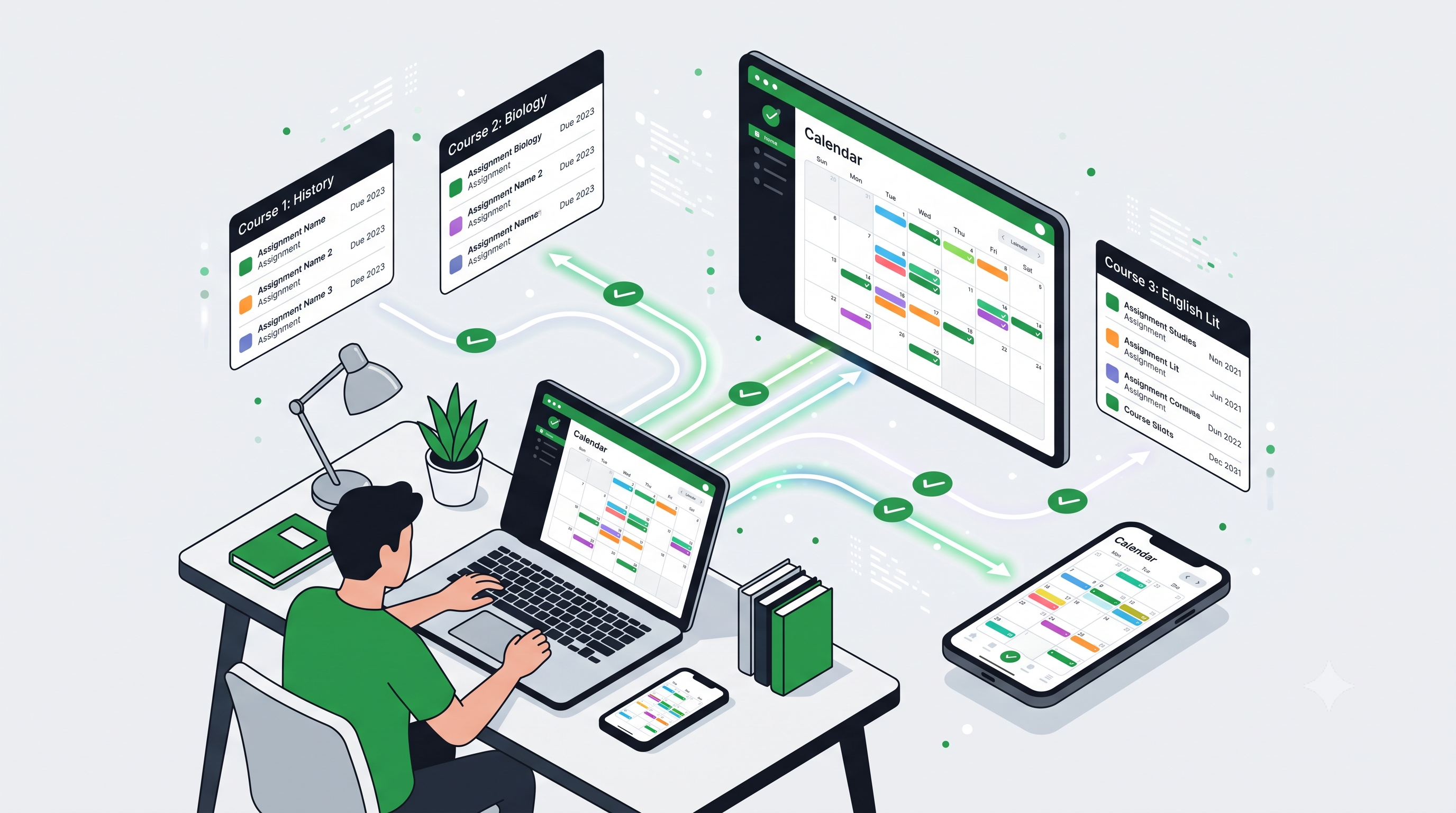
The single highest-impact move most students can make is getting all their course deadlines into one place. Both Canvas and Blackboard have built-in calendar feed options that let you subscribe to your course deadlines directly from Google Calendar no manual entry required. In Canvas, click the Calendar tab, scroll to "Calendar Feed," copy the URL, and paste it into Google Calendar under "Other Calendars." Blackboard offers the same through its Calendar Settings; see the LMS documentation on the difference between assignment due dates and availability dates for how those fields behave.
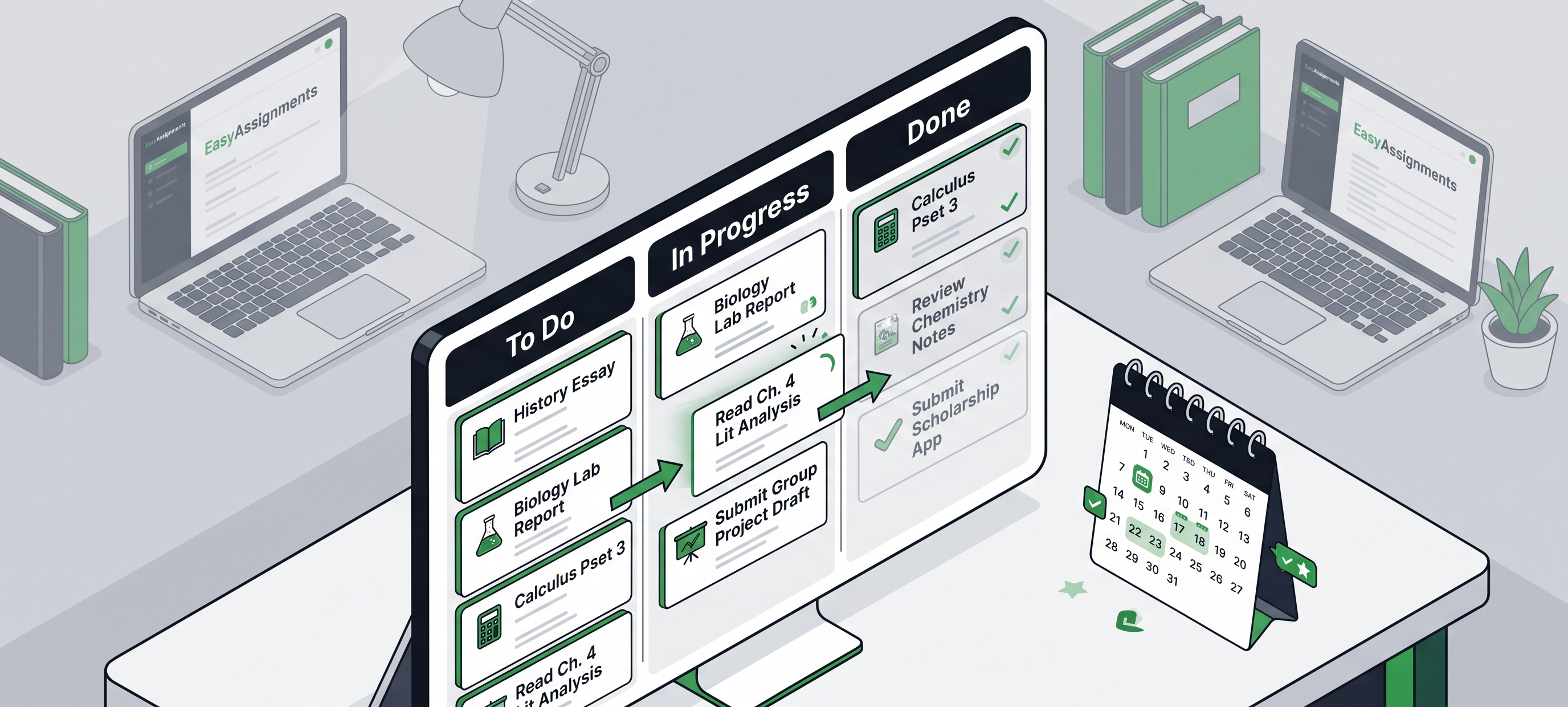
Beyond calendar sync, dedicated tracker apps like Notion, ThinkAssist, and AFFiNE let you manage your schedule using a kanban-style board that gives a live view of where every assignment stands. These tools support task hierarchies, so you can break one assignment into five subtasks and track each separately. If you struggle with manual entry or have ADHD, tools like UpAhead can auto-generate a semester calendar from your uploaded syllabus. You can also add your class schedule to Google Calendar directly so time blocks and course meetings live in the same place.
For most students, the combination that consistently works is Google Calendar for deadline visibility and Notion or a simple spreadsheet for task-level management. Sync across devices, set reminders 72 hours before major due dates, and review your upcoming week every Sunday for ten minutes. The best system isn't the most feature-rich one it's the one you'll actually open every week. For practical tactics, see this time-blocking strategy for students.
When Deadlines Are Genuinely Converging
Some weeks the workload is simply too much. EasyAssignments connects students with subject-matter experts across 100+ disciplines with on-time delivery and confidential, SSL-secured support when you need structured help.
When Your Best System Still Isn't Enough
There are semesters where the system breaks down not because of poor planning, but because of compounding circumstances. A medical situation, a family emergency, a sudden increase in work hours, or an overloaded course schedule can make even the most organized student fall behind. Recognizing this early matters. When two or three major deadlines are converging with circumstances outside your control, waiting is the worst option.
Your first line of support should be institutional: reach out to your academic advisor, check the late submission policy with each professor, contact disability services if relevant, or request an extension before the deadline passes. Many students don't realize how often instructors will work with those who communicate proactively.
For additional academic support, EasyAssignments is a platform that connects students with subject-matter experts across more than 100 disciplines. It offers an on-time delivery commitment, a satisfaction guarantee with free revisions, and SSL-secured confidentiality a practical option for students who need structured academic assistance during genuinely overwhelming periods. As with any outside resource, confirm that your intended use aligns with your institution's academic integrity guidelines.
Putting It All Together: A Deadline System You'll Actually Stick With
Missing assignment deadlines in college almost always comes down to one thing: no system, or a system that breaks under pressure. The strategies in this guide a priority matrix, Do Dates, staggered milestones, and a consolidated digital tracker work because they remove the guesswork and reduce the cognitive load of managing multiple courses at once.
Load Your Syllabi
Put every major due date into Google Calendar on day one.
Assign Do Dates
Set each 2–3 days ahead of the real deadline.
Time-Block Weekly
Label concrete work blocks, then add the priority matrix.
Review Sundays
Ten minutes to scan the week ahead and adjust.
Start with one change this week. Pull your syllabi and load your major assignment deadlines into Google Calendar. Then assign a Do Date to each one, two to three days ahead of the actual due date. That single action puts you ahead of most classmates. As the semester progresses, layer in time-blocking and the priority matrix, and add day theming if you're running four or more courses.
On the semesters when life genuinely overwhelms even a solid system, remember that support exists from your institution and from vetted academic services. Assignment deadlines don't have to be the thing that derails your progress. With the right habits in place from day one, and a clear plan for when things go sideways, you stay in control of your semester instead of the other way around.
Frequently Asked Questions
How do I stop missing assignment deadlines in college?
Consolidate every course deadline into one calendar, set "Do Dates" two to three days before each real deadline, and do a ten-minute weekly review each Sunday. The system matters more than motivation most missed deadlines come from fragmentation, not laziness.
What's the difference between a due date and an availability date?
A due date marks when work is expected and flags it late if missed. An availability or "Until" date controls whether the LMS accepts a submission at all. Work can be marked on time yet still get locked out, so check both settings in Canvas or Blackboard.
Which tools work best for tracking assignments?
Google Calendar for deadline visibility (synced from your Canvas or Blackboard calendar feed) plus Notion or a simple spreadsheet for task-level tracking. Set reminders 72 hours before major due dates. The best tool is the one you'll actually open every week.
What should I do when deadlines pile up unexpectedly?
Act early. Contact your academic advisor, ask professors about late policies or extensions before the deadline, and reach disability services if relevant. For overwhelming stretches, vetted academic services can provide structured support just confirm your use aligns with your school's integrity policy.
Stay Ahead of Every Deadline This Semester
Build the system now, and keep a reliable backup for the weeks that get out of hand. EasyAssignments is here when you need structured, on-time academic support.