How to Never Miss an Assignment Deadline in College
Missing one assignment deadline might cost you a few points. Missing several across a single semester can tank your GPA, put your financial aid at risk, and turn every Sunday night into a full-on crisis. The frustrating part is that this rarely comes down to a lack of effort or ability. Most students who miss deadlines do not struggle with motivation, they struggle with systems.
This guide walks through the proven, practical strategies high-performing students use to stay ahead of every due date: prioritization, time-blocking, digital tools, and a clear plan for the semesters when circumstances genuinely spiral beyond your control. None of them depend on being naturally organized or having endless free time.
Why College Students Keep Missing Deadlines, and It Is Not Laziness
Surveys and institutional data suggest that somewhere between eighty and ninety-five percent of students miss at least one assignment deadline per semester. That number is worth sitting with, because it tells you that missing a deadline is not a personal failing unique to you. It is a near-universal symptom of a structural problem. The overwhelming majority of students are managing due dates across several different platforms at once. Canvas shows one set of dates, Blackboard shows another, and a professor posts a last-minute update buried in an email. Nothing connects to anything else, and by around week four the mental load of holding all of it in your head becomes genuinely unsustainable.
The root issue, then, is fragmentation. When your deadlines live in five different places and none of them talk to each other, you are relying on memory to bridge the gaps, and memory is exactly the wrong tool for the job. It fails silently and at the worst possible moments. Almost everything in this guide is ultimately aimed at solving this one problem by pulling every deadline into a single, trustworthy view so your brain no longer has to do the tracking.
The core insight: Missing deadlines is rarely about effort. It is about fragmentation. Pull every due date into one trustworthy place and you remove the mental load that causes most missed submissions.
The due date versus availability date trap
There is a critical technical distinction that most students never learn until it burns them. In learning management systems like Canvas, a due date marks when a submission is expected and flags your work as late if you miss it. But there is a separate setting, often called an availability or Until date, that determines whether the system will accept a submission at all. The due date affects whether your work is marked late. The availability date affects whether you can turn it in at all.
The practical consequence is brutal and common. Many students submit work they genuinely believe is on time, only to find it locked out entirely or marked late because the availability window had already closed. At the start of each course, it is worth checking whether assignments have a hard cutoff separate from the due date, so you are never surprised by a locked submission box at eleven fifty-nine at night.
The midnight deadline trap
Nearly eighty percent of students in surveys say they prefer midnight cutoffs, because a deadline at the end of the day feels like it gives them the whole day to work. It sounds reasonable, but academic productivity studies suggest the preference works against students in practice. Midnight deadlines encourage all-night cramming, and they concentrate submission attempts into the exact hours when no support is available.
The real danger of a midnight cutoff is that it leaves zero buffer for the things that reliably go wrong. If the file will not upload, if the internet drops, if the system glitches, there is no IT help desk staffed at midnight and no professor awake to email. The Do Date habit described later in this guide is the direct antidote, because it moves your real finish line to a time when help still exists.
The Priority Matrix: Ranking Deadlines Before the Workload Overwhelms You
Once you can see all your deadlines in one place, the next challenge is deciding what to work on first, and most students get this wrong by instinct. A useful framework here is the Eisenhower matrix, which divides tasks into four quadrants based on two questions. Is it urgent, and is it important? That produces four categories: urgent and important, important but not urgent, urgent but not important, and neither.
Applied to college coursework, this framework means separating high-weight assignments with approaching due dates from low-stakes busy work. A forty-point research paper due in three days ranks far higher than a five-point discussion post due next week, even though the discussion post feels easier and more satisfying to knock out first. Most students default to doing what feels manageable rather than what actually moves their grade, which is how people end up having spent an evening on trivial tasks while the assignment that really matters goes untouched.
Building a weekly priority grid
Turn the concept into a concrete habit by building a simple grid at the start of each week. List every pending assignment alongside three pieces of information: its point value, the percentage of your final grade it represents, and its due date. When two assignments fall on the same day, the one worth twenty-five percent of your grade earns your Monday and Tuesday, while the one worth five percent gets a slice of Wednesday morning. This kind of weighted deadline management keeps your best hours pointed at the work that actually determines your grade.
Keep the quadrants lean, with no more than about ten tasks in any section at a time, so the system stays readable rather than becoming another overwhelming list. The deeper strategic goal is to shrink the urgent-and-important quadrant through planning, so that over time you spend more of your week in the important-but-not-urgent space, where your best and calmest work actually happens.
| Quadrant | Example | What to do |
|---|---|---|
| Urgent + Important | 40-point paper due in 3 days | Do it now, protect your best hours for it |
| Important, Not Urgent | Major project due in 3 weeks | Schedule milestones, aim to live here |
| Urgent, Not Important | 5-point discussion post due soon | Batch quickly into a low-priority slot |
| Neither | Optional reading, busy work | Defer, delegate, or drop |
Time-Blocking Your Week Around Assignment Deadlines
Do Dates and personal buffers
One of the most effective habits high-achieving students develop is deceptively simple. They set an internal work deadline two to three days before the actual submission deadline. This is often called a Do Date, as distinct from the official due date. That gap creates a buffer for the things that reliably intrude on any plan: revisions you did not anticipate, technical issues, and the inevitable life interruption. Students who build this personal grace period into their schedule tend to produce higher-quality work and experience far less last-minute stress, because they are finishing when there is still room to breathe.
There is one important caveat that makes or breaks the technique. Self-imposed deadlines work best when they are paired with accountability, because a deadline only you know about is easy to quietly ignore. Telling a classmate or roommate your Do Date, or posting it somewhere visible, makes it dramatically stickier than keeping it private.
Watch out: A Do Date only protects you if you treat the earlier date as real. A private deadline you can quietly move is not a buffer, it is a suggestion. External accountability is what gives a self-imposed deadline its weight.
Staggered milestones for larger assignments
For papers, projects, and research assignments, staggered milestones are far more effective than a single looming due date. Rather than treating a three-week project as one event, set individual deadlines for topic selection, outline, first draft, and revision, and tie each of those to a specific block on your calendar. Students who use milestones are not trying to compress a three-week project into a frantic forty-eight-hour sprint. They are doing the work in the manageable pieces it was always meant to be done in.
Make those blocks specific rather than vague. When your calendar shows a block labeled draft the introduction for the PSYC 201 paper, it is far harder to skip than a reminder that just says work on stuff, because there is no ambiguity about what to do. The specificity removes the moment of hesitation where procrastination usually creeps in.
Drowning in overlapping deadlines?
When several major assignments collide in the same week, EasyAssignments can take the pressure off so you stay ahead of your schedule instead of behind it.
Day theming for heavy course loads
If you are managing four or more courses at once, consider a technique called day theming, which assigns a specific course or task type to each day of the week. Monday might be for lecture reviews, Tuesday for group project work, Wednesday for lab reports, and Friday for exam prep. The benefit is that it reduces decision fatigue, because you are no longer deciding fresh each day what to work on, and it ensures every course gets dedicated attention rather than the reactive, fire-drill catch-up that heavy loads otherwise produce.
Digital Tools That Track Every Due Date Without the Mental Overhead
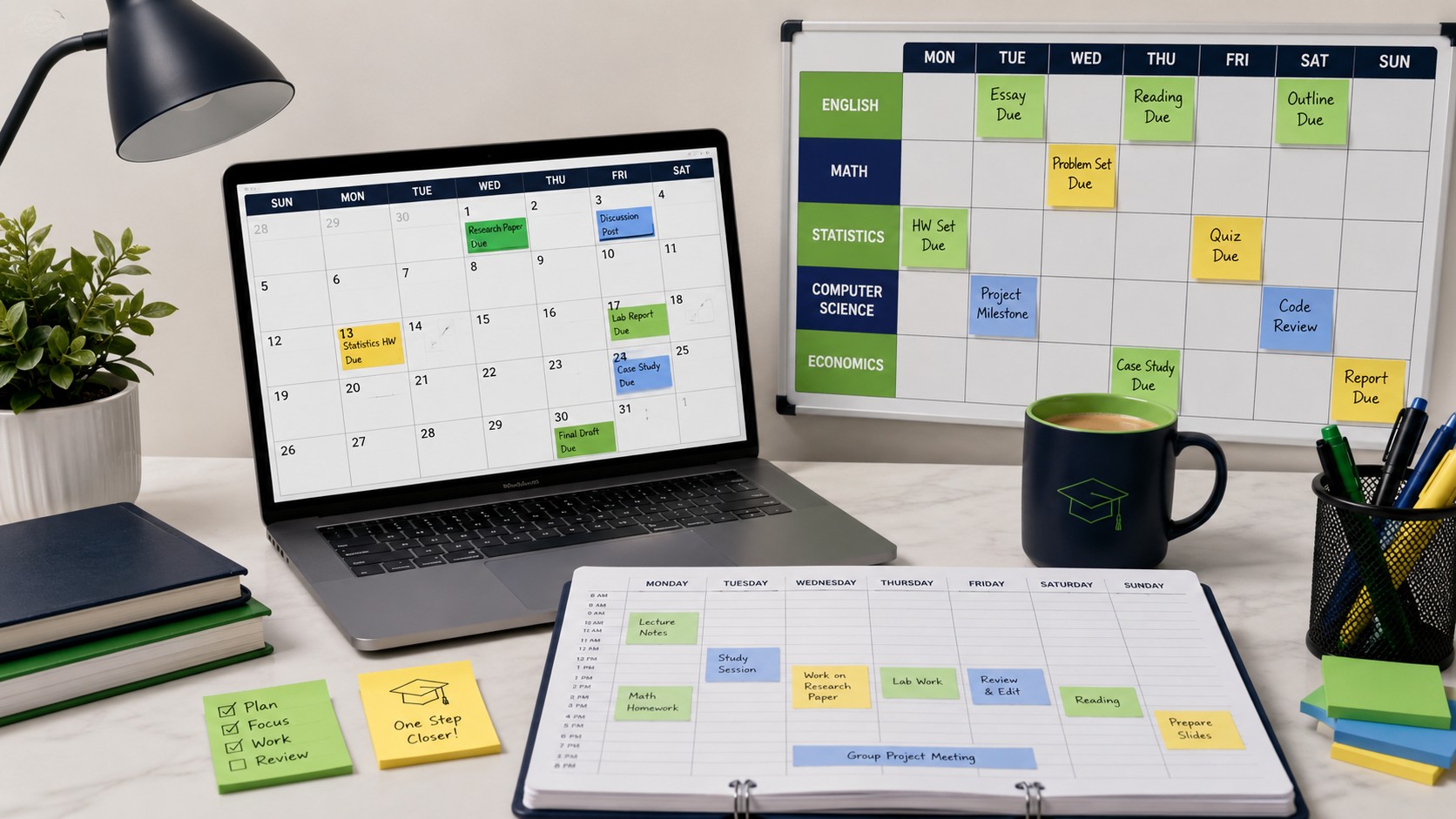
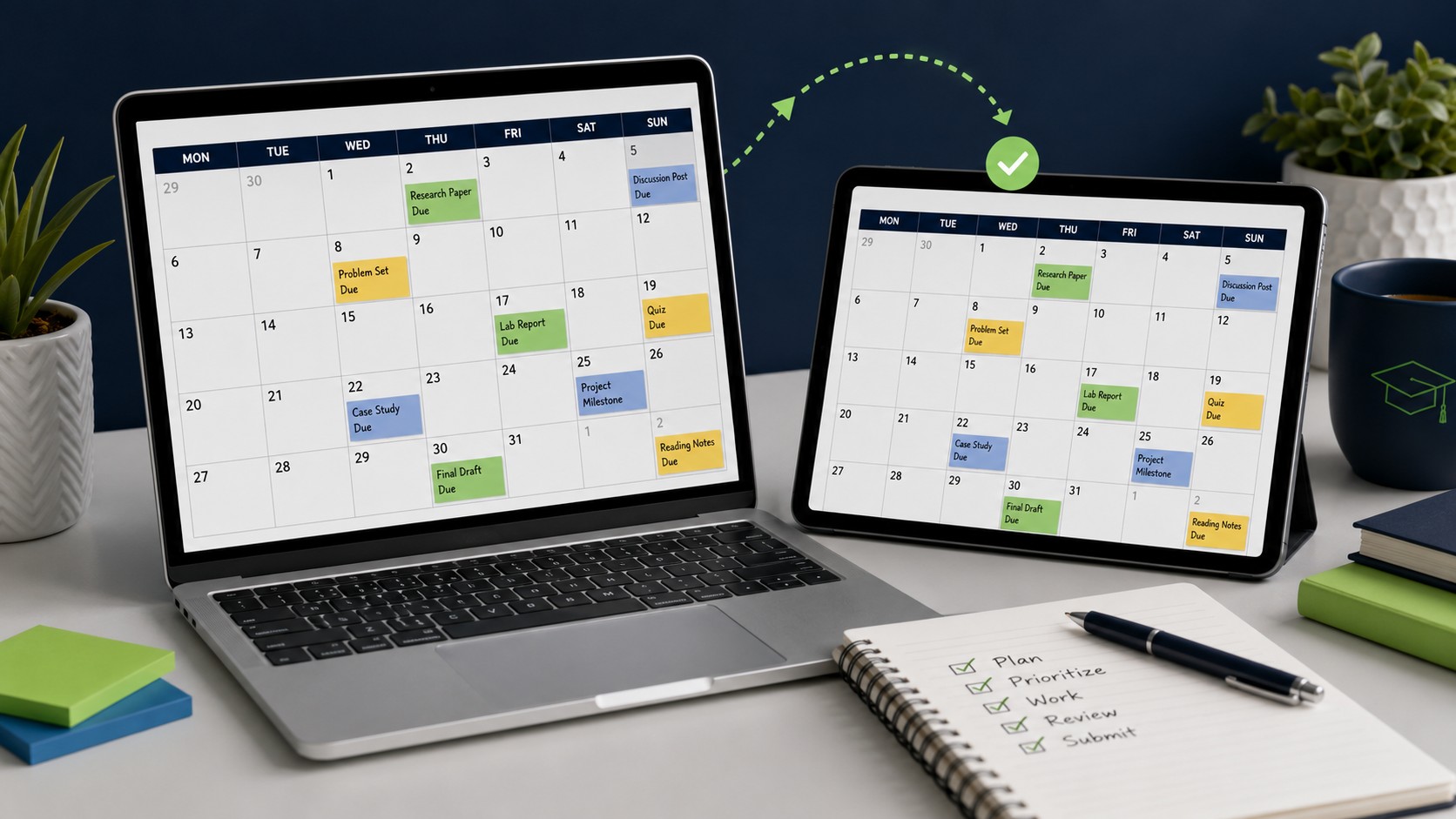
The single highest-impact move most students can make is getting all their course deadlines into one place, and modern tools make this almost effortless once you set it up. The foundation is calendar sync. Both Canvas and Blackboard have built-in calendar feed options that let you subscribe to your course deadlines directly from a personal calendar like Google Calendar, with no manual entry required. In Canvas, you open the Calendar tab, find the Calendar Feed option, copy the URL it provides, and paste it into Google Calendar under Other Calendars. Once this is done, every deadline your instructors set appears automatically in the calendar you already check.
Calendar sync solves visibility, but managing the work itself often calls for a second layer. Dedicated assignment tracker apps such as Notion, ThinkAssist, and AFFiNE let you manage your workload using a kanban-style board with columns like To Do, In Progress, and Done, which gives you a live view of where every assignment actually stands. These tools support task hierarchies, so you can break a single assignment into subtasks and track each one separately, which pairs perfectly with the milestone approach described earlier.
The combination that reliably works
You do not need the most feature-rich setup, and chasing one is often counterproductive. For most students, the combination that consistently works is straightforward: a synced calendar for deadline visibility, paired with either a tool like Notion or even a simple spreadsheet for task-level management. Sync it across your devices, set reminders seventy-two hours before major due dates so nothing sneaks up on you, and review your upcoming week every Sunday for about ten minutes.
That weekly review is the habit that quietly holds the whole system together, because it catches problems while they are still small and gives you a chance to rebalance before a crunch hits. The guiding principle for choosing any tool is worth stating plainly. The best system is not the most powerful one. It is the one you will actually open every week.
A starter setup you can build in one sitting
- Subscribe your Canvas or Blackboard calendar feed into your main personal calendar.
- On day one of the semester, enter every major deadline from each syllabus.
- Set a reminder seventy-two hours before each major due date.
- Assign a Do Date two to three days before each real deadline.
- Book a recurring ten-minute weekly review to check the week ahead.
The First-Week Setup That Prevents Most Problems
Nearly every missed deadline traces back to something that could have been handled in the first week of the semester, before the workload ramped up. The opening days feel calm, which is exactly why they are the ideal time to build the scaffolding that carries you through the busy weeks ahead. Investing an hour or two up front buys you a semester of fewer surprises.

Read every syllabus like a contract
The syllabus is the single most underused document in college, and reading each one carefully in week one prevents a remarkable number of later problems. It tells you how grades are weighted, so you know which assignments truly matter. It spells out the late-submission policy, so you understand the cost of a slip before you ever risk one. It lists every major deadline, so you can load them all into your calendar at once. Treat each syllabus as a contract that defines the terms of the course.
As you read, note the specifics that tend to hide in the fine print. Look for whether assignments have hard cutoffs separate from due dates, how many late days or grace periods you are allowed if any, whether attendance or participation is graded, and how to reach the instructor when something goes wrong.
Front-load the calendar for the entire term
With every syllabus in hand, enter all the major deadlines for the whole semester into your calendar in one focused session. Do not spread this out or plan to add dates as they approach, because that piecemeal approach is exactly the fragmentation that causes missed deadlines in the first place. Getting the full term into a single view immediately reveals the crunch periods, those weeks where multiple big assignments and exams collide, while you still have time to plan around them. Seeing a brutal week coming three weeks out is a gift. Discovering it the night before is a crisis.
The Hidden Failure Points That Sink Even Careful Students
Beyond the big structural issues already covered, a handful of small, specific failure points cause a surprising share of missed deadlines. These are the traps that catch students who genuinely have a system, which is what makes them worth naming individually.
Assuming submitted means received
A file can fail to attach or an upload can time out. After every submission, verify it: check the confirmation screen, confirm the correct file is attached, and screenshot the timestamp on important work.
Trusting a single device
A laptop that will not boot or a home internet outage can sink a finished assignment. Back up to the cloud automatically and know a backup place to get online.
Missing email and announcements
Professors move due dates and add requirements through email. Scan your school inbox and announcement feeds daily, and update your calendar the moment a change is posted.
Ignoring small assignments
A semester of missed five-point tasks erodes a grade as much as one bombed exam. Give even minor work a spot on your calendar and weekly review.
Understanding the Procrastination Behind Missed Deadlines
Systems and tools solve the tracking problem, but they do not by themselves solve the deeper reason many students miss deadlines, which is procrastination. Research on procrastination increasingly frames it as a way of avoiding negative emotions rather than a failure of time management. When a task feels boring, confusing, overwhelming, or threatening to your sense of competence, your brain reaches for the relief of doing something else instead. The discomfort, not the clock, is what you are avoiding.
This reframe is powerful, because it means the solution is not simply to try harder. It is to reduce the emotional weight of the task so that starting no longer feels like something to flee from. Breaking an assignment into small milestones shrinks a threatening project into pieces that no longer trigger avoidance. A specific calendar block that says draft one paragraph removes the ambiguity that makes a task feel overwhelming.
A few concrete tactics reliably help. Make starting almost absurdly easy by committing to just a few minutes of work, on the understanding that you can stop afterward if you want to. Reduce friction in advance by setting up everything you need before a work block begins. Pair accountability with your intentions through a study partner or a group check-in. And be deliberate about self-talk, because students who treat a miss as a single event with a specific, fixable cause recover quickly, while those who conclude they are hopeless tend to spiral.
When Your Best System Still Is Not Enough
It is important to be honest that some semesters break down not because of poor planning, but because of compounding circumstances that no system can absorb. A medical situation, a family emergency, a sudden increase in work hours, or simply an overloaded course schedule can make even the most organized student fall behind. When this happens, the worst thing you can do is go quiet and hope to catch up on your own.
The single most useful principle here is to communicate before the deadline passes, not after. An instructor who hears from you the day before an assignment is due has options and goodwill. An instructor who hears from you a week after a missed deadline has neither. Proactive communication is the difference between a professor working with you and a professor enforcing a late policy against you.
Your first line of support should always be institutional. Reach out to your academic advisor, who can help you see options across your whole course load rather than one class at a time. Check the late-submission policy with each individual professor, since many are more flexible than their syllabus suggests when a student communicates honestly and early. If a disability or a documented condition is affecting your work, disability services can arrange formal accommodations. If the situation is serious enough, advisors can walk you through options like an incomplete grade or a hardship withdrawal that protects your transcript. Using these supports is not a sign of weakness, it is exactly what they are there for.
Building a Deadline System You Will Actually Stick With
Missing assignment deadlines in college almost always comes down to one thing, which is the absence of a system, or a system that quietly breaks under pressure. A priority matrix removes the guesswork about what to work on. Do Dates build in a protective buffer. Staggered milestones turn intimidating projects into manageable steps. And a consolidated digital tracker cuts the cognitive load of juggling multiple courses down to something your brain can actually sustain across a full semester.
The key is not to adopt everything at once, which is a fast route to abandoning all of it. Start with one change this week. Pull your syllabi and load your major assignment deadlines into your calendar, then assign a Do Date to each one, keeping it two to three days ahead of the real due date. That single action alone puts you ahead of most of your classmates. As the semester progresses, you can layer in time-blocking and the priority matrix, and add day theming if you are running four or more courses.
Frequently Asked Questions
What is the fastest way to never miss an assignment deadline in college?
Pull every syllabus in week one and load all major deadlines into a single calendar, then attach a Do Date two to three days before each real due date. Consolidating everything into one trustworthy view removes the fragmentation that causes most missed submissions.
What is a Do Date and why does it matter?
A Do Date is a self-imposed finish line set two to three days before the official due date. It builds a buffer for revisions, technical issues, and life interruptions, so a problem costs you your buffer instead of your grade. It works best when paired with accountability.
What tools should I use to track due dates?
Start with calendar sync from Canvas or Blackboard into a personal calendar like Google Calendar, then add a task-level tool like Notion or even a simple spreadsheet. The best system is not the most powerful one, it is the one you will actually open every week.
What should I do when a semester spirals beyond my control?
Communicate before the deadline passes, not after. Reach out to your professor, academic advisor, disability services, or campus counseling early. Requesting an extension before the deadline, with a proposed new date, gives instructors room to work with you.
Run your semester instead of letting it run you
Build the system once and trust it over your memory. When a week gets brutal, EasyAssignments is here to help you stay ahead of every due date.