
MLA Essay Format Example for College Students
If your professor asked for MLA and you are not entirely sure what that means in practice, this guide gives you a clear MLA essay format example you can copy for your next college assignment. No more guessing about margins, headers, spacing, or how the Works Cited page should look.
MLA (Modern Language Association) style is used across the humanities, especially in English, literature, philosophy, and the arts. Getting the format right protects easy points that many students lose simply because they never learned the exact rules. Below you will find the full setup, in-text citations, a sample layout, and a Works Cited walkthrough.
What MLA Format Actually Is
MLA format is a set of formatting and citation rules published by the Modern Language Association. It tells you how to lay out your essay, how to credit the sources you use inside the text, and how to build a Works Cited page at the end. The current version is the 9th edition, so if you find a guide referencing older editions, some small details may have changed.
The point of MLA is consistency. When every student in a class follows the same rules, instructors can read and grade papers without being distracted by wildly different formats. It also keeps you honest about your sources, which matters more than ever when instructors are watching closely for proper attribution. A clean MLA essay format example gives you a reliable template so you can focus your energy on the actual argument rather than the mechanics.
MLA differs from other major styles you may have used. APA, common in the social sciences, uses a title page and author-date citations. Chicago style often uses footnotes. MLA keeps things lean: no separate title page in most cases, author-page in-text citations, and a Works Cited list. Knowing which style your assignment requires is the first step, so always check your syllabus or ask your instructor if the prompt does not say.
Page Setup: The Foundation of MLA Format
Before you write a single word of your argument, set up your document correctly. Getting this right at the start saves you from reformatting later. Here is the standard MLA page setup that works for virtually every college essay.
Margins, Font, and Spacing
MLA requires one-inch margins on all four sides of the page. Most word processors default to one inch, but it is worth confirming in your document settings. For font, MLA recommends a readable typeface where the regular and italic versions are easy to tell apart. Times New Roman at 12 point is the classic safe choice, though fonts like Arial are also widely accepted if your instructor allows them.
Your entire essay should be double-spaced. This includes the heading, the title, the body, block quotations, and the Works Cited page. Do not add extra blank lines between paragraphs, and do not use single spacing anywhere. Set the line spacing to double and leave it that way for the whole document.
The First-Page Heading
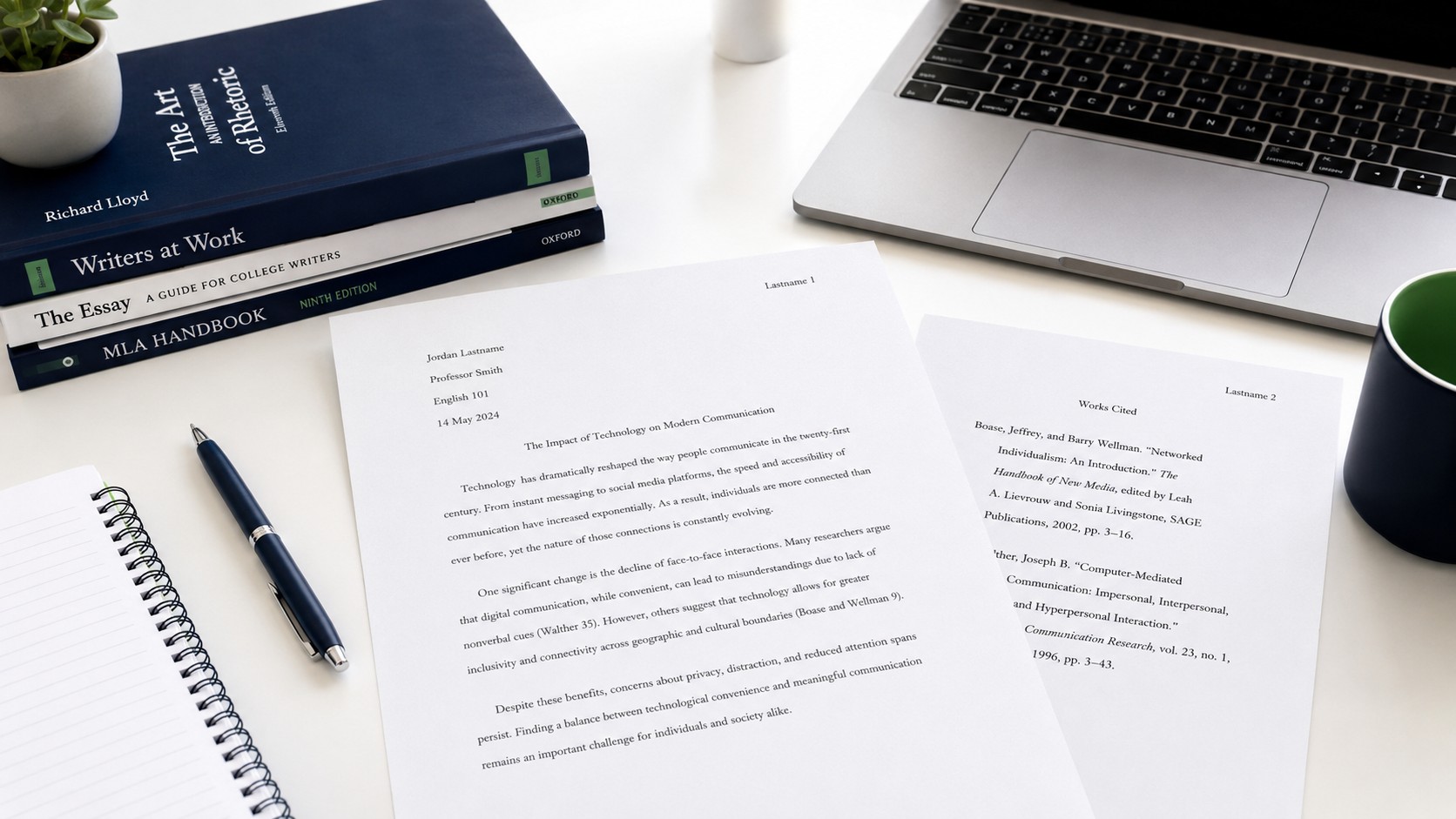
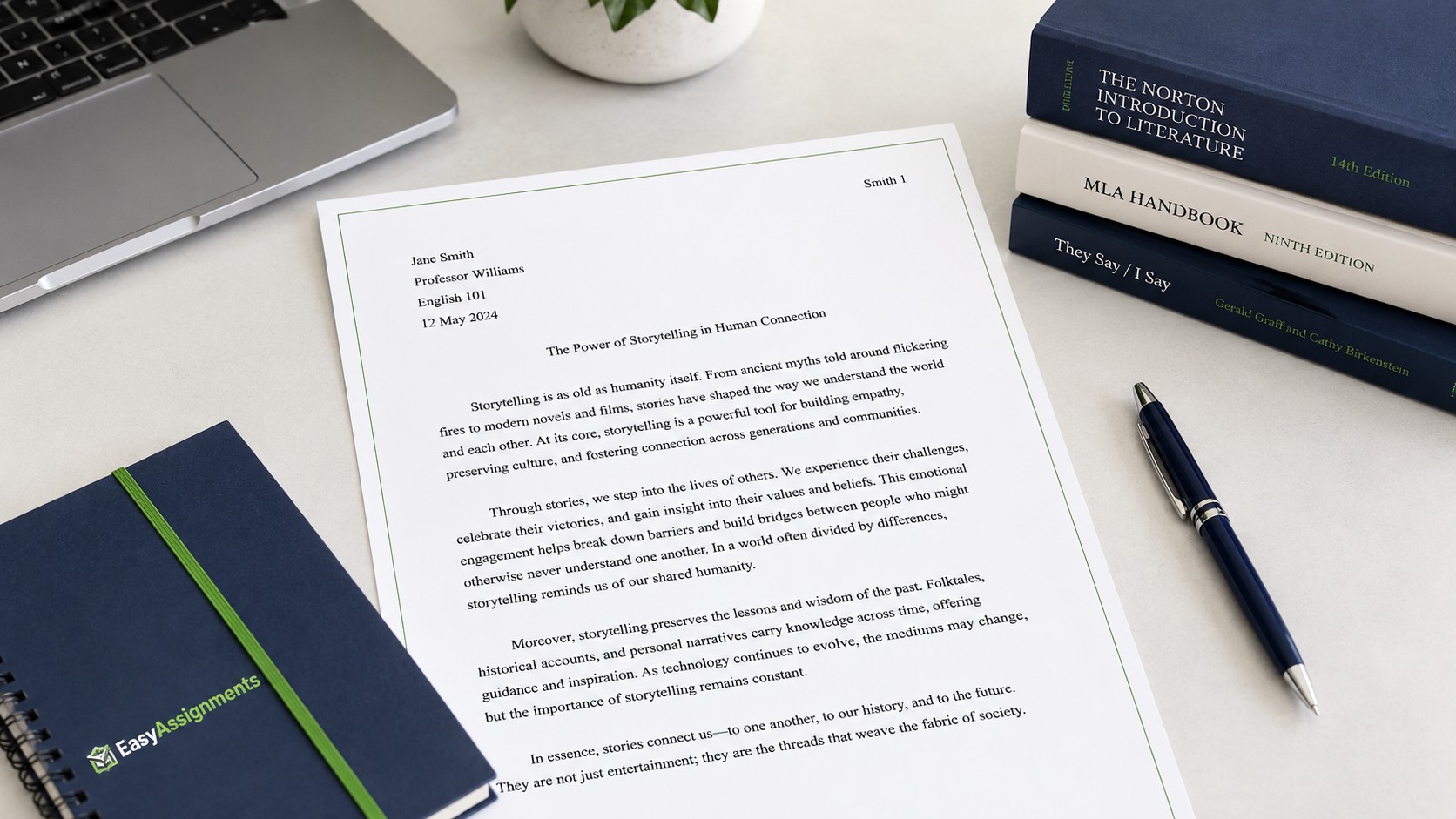
MLA does not use a separate title page unless your instructor specifically requires one. Instead, in the upper left corner of the first page, you include a four-line heading, double-spaced, with your name, your instructor's name, the course, and the date. The date is written in day-month-year order, such as 8 August 2026.
After the heading comes your title, centered, in standard capitalization and without bold, underline, or quotation marks. Then your essay body begins on the next double-spaced line. Keep it simple: no decorative fonts, no oversized title, no colored text.
Quick tip: Set up an MLA template once and save it. Configure the margins, font, spacing, and running header, then reuse it for every assignment. You will never have to rebuild the formatting from scratch again, and you will stop losing points on setup details.
The Running Header
In the top right corner of every page, MLA requires a running header that shows your last name followed by the page number, for example "Smith 1." This sits half an inch from the top of the page. Use your word processor's header function to insert it so the page numbers update automatically. Do not type it manually on each page, because that breaks the moment you add or remove text.
MLA Essay Structure and Layout
MLA style does not force a rigid essay structure the way some formats do, but college essays generally follow a clear and predictable shape. Understanding this structure helps you organize your ideas and makes your paper easier to read and grade.
Introduction
Your opening paragraph introduces the topic and ends with a clear thesis statement. The thesis is the single most important sentence in your essay because it states your central argument. Everything that follows should support it. In MLA papers for literature and humanities courses, a strong thesis makes a specific, arguable claim rather than stating an obvious fact.
Body Paragraphs
Each body paragraph should develop one main idea that supports your thesis. Open with a topic sentence, provide evidence, which often means quoting or paraphrasing a source, and then explain how that evidence connects to your argument. This is where in-text citations come in, since any borrowed idea or quotation needs to be credited.
Conclusion
Your conclusion draws the argument together without simply repeating the introduction word for word. Restate your thesis in fresh language, summarize how your evidence supported it, and end with a broader observation about why the argument matters. Avoid introducing brand-new evidence in the conclusion.
Common mistake: Many students add extra space between paragraphs or shift to single spacing to make an essay look longer or shorter. Instructors notice this immediately, and it violates MLA formatting. Keep the entire document double-spaced with no extra gaps, and meet your word count with content, not spacing tricks.
In-Text Citations in MLA
In-text citations are how MLA credits sources inside your paragraphs. The basic MLA in-text citation includes the author's last name and the page number where the information appears, with no comma between them. For example: (Smith 42). Notice there is no "p." before the number and no comma inside the parentheses.
If you name the author in your sentence, you only need the page number in parentheses. For instance, you might write that Smith argues a particular point, and then place (42) at the end. This keeps your writing smooth and avoids repeating the author's name twice in the same breath.
Handling Different Source Types
Not every source has a clear author or page number, and MLA has rules for those situations. When there is no author, use a shortened version of the title in quotation marks or italics, depending on the source type. When there is no page number, as with many websites, you simply use the author's name. Do not invent page numbers or paragraph numbers unless the source clearly provides them.
Here is a quick reference for the most common in-text citation situations you will meet in college essays.
| Situation | In-Text Example | Notes |
|---|---|---|
| One author, page known | (Smith 42) | No comma, no "p." before the number |
| Author named in sentence | Smith argues... (42) | Page number only in parentheses |
| Two authors | (Smith and Lee 88) | List both last names |
| Three or more authors | (Smith et al. 88) | First author plus "et al." |
| No author | ("Climate Report" 5) | Shortened title in quotes or italics |
| Website, no page | (Smith) | Author name only, no page number |
Quotations and Punctuation
For short quotations, fewer than four typed lines, place the quoted material in double quotation marks and put the citation after the closing quotation mark but before the final period. For longer quotations of more than four lines, use a block quote: start on a new line, indent the whole quotation half an inch, keep it double-spaced, and place the citation after the closing punctuation with no quotation marks.
Struggling to Format Your Essay Correctly?
If MLA formatting is eating up the time you would rather spend on your argument, EasyAssignments can help you polish structure, citations, and the Works Cited page so your paper looks exactly right.
The Works Cited Page
The Works Cited page is where you list every source you cited in your essay. It appears on its own page at the very end of your paper, continuing the same running header and page numbering. Get this page right and you earn the credibility points that many students give away through carelessness.
Formatting the Works Cited Page
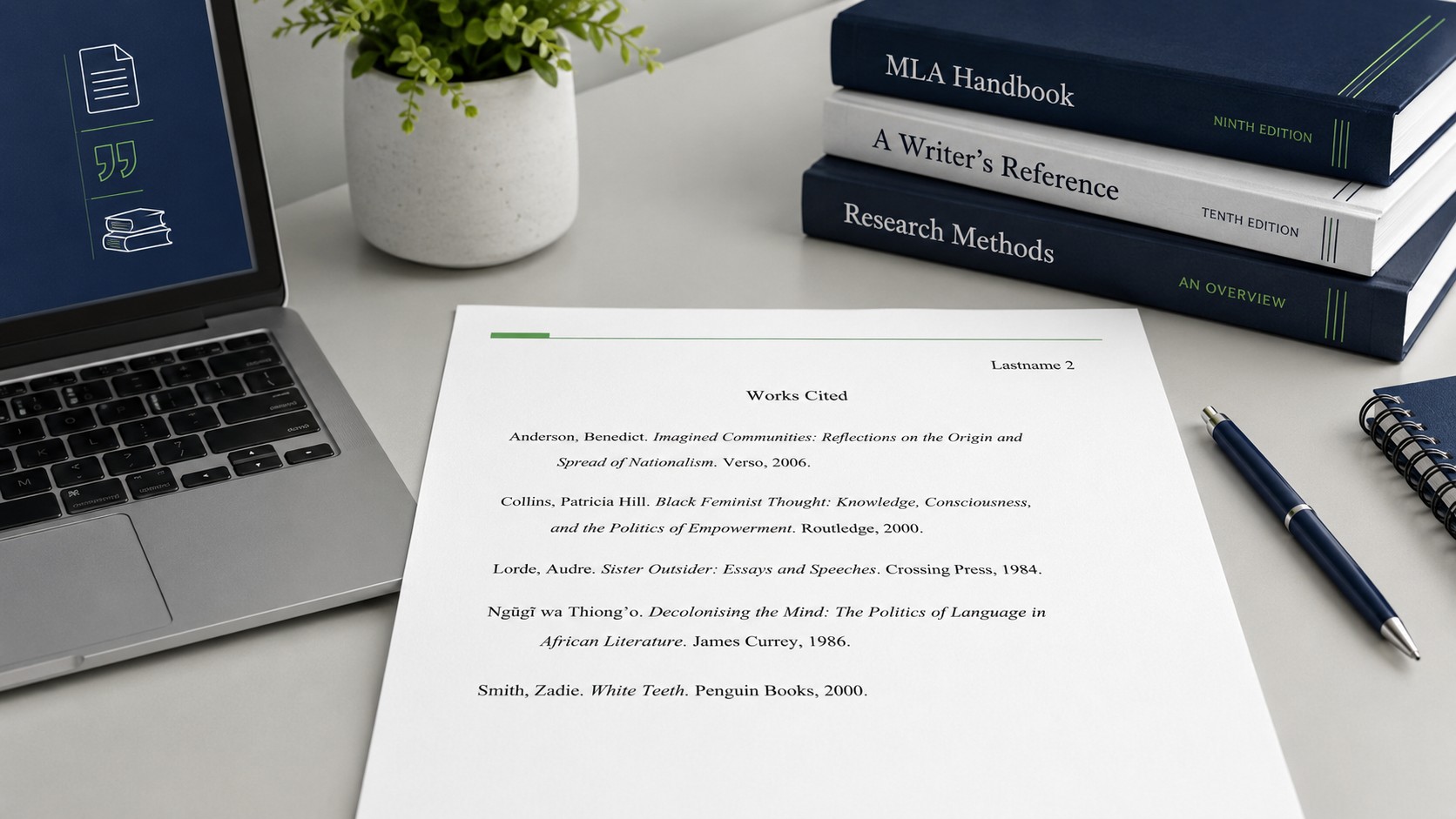
Center the title "Works Cited" at the top of the page, without bold, italics, or quotation marks. List your sources alphabetically by the author's last name. If a source has no author, alphabetize it by the first significant word of the title. Keep the whole page double-spaced, and use a hanging indent, which means the first line of each entry sits at the left margin while every following line of that entry is indented half an inch.
The MLA 9 Core Elements
MLA 9 uses a flexible container system built around a set of core elements. Instead of memorizing a separate template for every source type, you assemble each entry from the elements that apply. The main elements, in order, are the author, the title of the source, the title of the container (such as the journal or website), other contributors, the version, the number, the publisher, the publication date, and the location, such as a page range or URL.
This system is powerful because it works for sources that did not exist when older MLA editions were written. Once you understand the order of the elements, you can cite almost anything by filling in the pieces you have and leaving out the ones you do not.
Sample Works Cited Entries
Below are examples of how the most common source types look in a Works Cited list. The exact punctuation matters, so pay attention to the commas, periods, and italics.
- Book: Author last name, first name. Title of Book. Publisher, Year.
- Journal article: Author last name, first name. "Title of Article." Journal Name, vol. #, no. #, Year, page range.
- Website: Author last name, first name. "Title of Page." Website Name, Publisher, Date, URL.
- Chapter in an edited book: Author last name, first name. "Chapter Title." Book Title, edited by Editor Name, Publisher, Year, page range.
Full MLA Essay Format Example at a Glance
To pull everything together, here is how a complete MLA college essay is laid out from top to bottom. Reading through this order once will fix the whole picture in your mind so you can reproduce it on any assignment.
Top of Page 1
Running header with your last name and page number in the top right, half an inch from the top edge.
Four-Line Heading
Your name, instructor, course, and date in the upper left, double-spaced.
Centered Title
Your essay title in standard capitalization, centered, with no bold or underline.
Double-Spaced Body
Introduction, body paragraphs, and conclusion, all double-spaced with in-text citations.
After the body of your essay ends, insert a page break and begin the Works Cited page. That single page break keeps your Works Cited list clean and separate, which is exactly what instructors expect to see. Following this order every time turns MLA formatting from a chore into a routine you barely have to think about.
Proofreading reminder: Before you submit, check three things: that every in-text citation has a matching Works Cited entry, that your entries are in alphabetical order with hanging indents, and that the whole document stays double-spaced. These three checks catch the majority of formatting errors.
Common MLA Mistakes to Avoid
Even students who understand MLA well still lose points to small, avoidable slips. Watching for these will keep your grade intact.
- Adding a comma inside in-text citations, writing (Smith, 42) instead of (Smith 42).
- Using "p." or "pg." before page numbers in the in-text citation, which MLA does not use.
- Forgetting the hanging indent on Works Cited entries.
- Listing sources in the order you used them instead of alphabetically.
- Including sources on the Works Cited page that you never actually cited in the text.
- Switching fonts or spacing partway through the document.
- Formatting the date in the wrong order in the heading.
If you keep a personal checklist of these mistakes and run through it before submitting, you will catch nearly all of them in a couple of minutes. Formatting points are the easiest points to earn in any essay, because they depend on following rules rather than on the difficulty of your argument.
MLA Format Frequently Asked Questions
Do I need a title page in MLA format?
No, MLA does not require a separate title page unless your instructor specifically asks for one. Instead, you use the four-line heading in the upper left of the first page followed by a centered title. If your professor does request a title page, follow their exact instructions since that overrides the standard MLA layout.
What font and size should an MLA essay example use?
MLA recommends a readable font where the regular and italic styles are clearly different, set at 12 point. Times New Roman is the most common safe choice, and the entire document, including the Works Cited page, should be double-spaced. Always confirm any font preferences with your instructor.
How do I cite a website with no author or page number?
When a website has no author, use a shortened version of the title in your in-text citation. When there is no page number, which is common online, simply use the author's name or the shortened title alone. Do not invent page or paragraph numbers unless the source clearly provides them.
Where does the Works Cited page go in an MLA essay?
The Works Cited page always goes at the very end of your essay on its own page, after a page break. It keeps the same running header and page numbering as the rest of the paper, uses a centered "Works Cited" title, and lists your sources alphabetically with hanging indents and double spacing.
Get Your MLA Essay Formatted the Right Way
Stop losing easy points to formatting slips. Whether you need full essay help or a final polish on citations and the Works Cited page, EasyAssignments has you covered.