How to Cite a Website in APA 7 for an Assignment
Online sources power almost every assignment, yet web pages are also where referencing goes wrong most often. Missing authors, no publication dates, and confusing URLs make websites feel harder to cite than books or journal articles.
This guide walks you through the exact APA 7 format for citing a website, both in the text and in your reference list, so you can protect your marks, avoid accidental plagiarism, and hand in clean, consistent work every time.
Why Citing a Website in APA 7 Matters
When you learn how to cite a website in APA 7 for an assignment, you are doing far more than following a formatting rule. Citations give credit to the people whose ideas you are using, they let your reader trace your sources, and they demonstrate that your argument rests on real evidence rather than opinion. In academic writing, a well-built reference list is one of the clearest signals that you have engaged seriously with your topic.
Websites deserve special attention because they are so easy to use and so easy to cite incorrectly. Unlike a printed book with a title page and a clear publication year, a web page might have no obvious author, no date, or a title buried in the design of the page. APA 7, published by the American Psychological Association, gives you a consistent system for handling all of these situations so that even the messiest online source ends up in a tidy, predictable format.
Getting this right also protects you from accidental plagiarism. Marking teams and integrity checks look closely at how sources are attributed. A missing or malformed citation can look like you are passing off someone else's work as your own, even when the mistake was purely technical. Learning the format properly removes that risk.
Quick principle: Every source you cite in the text of your assignment must appear in the reference list, and every entry in the reference list must be cited at least once in the text. If one side is missing, your referencing is incomplete.
The Four Core Elements of an APA 7 Website Reference
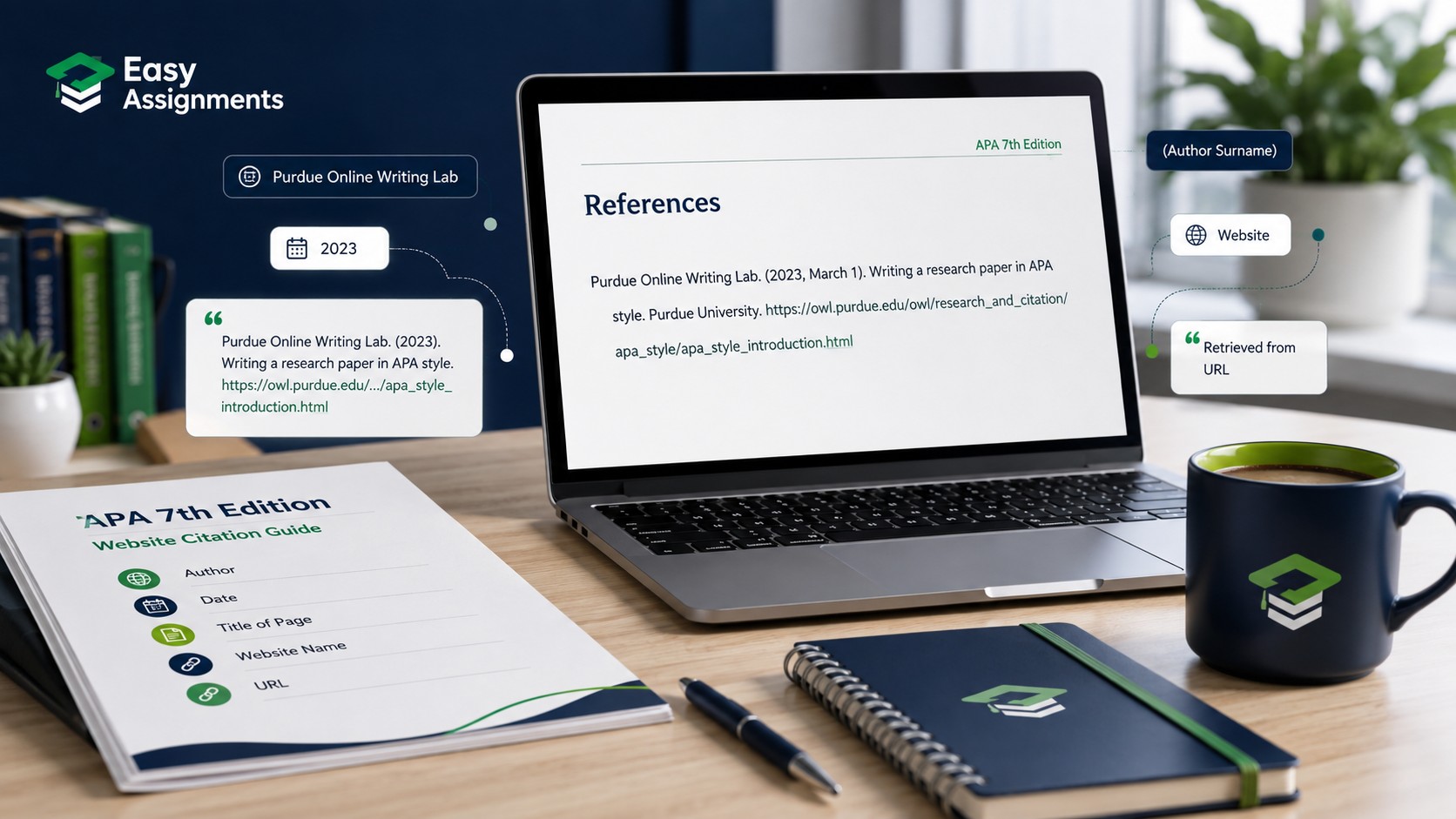
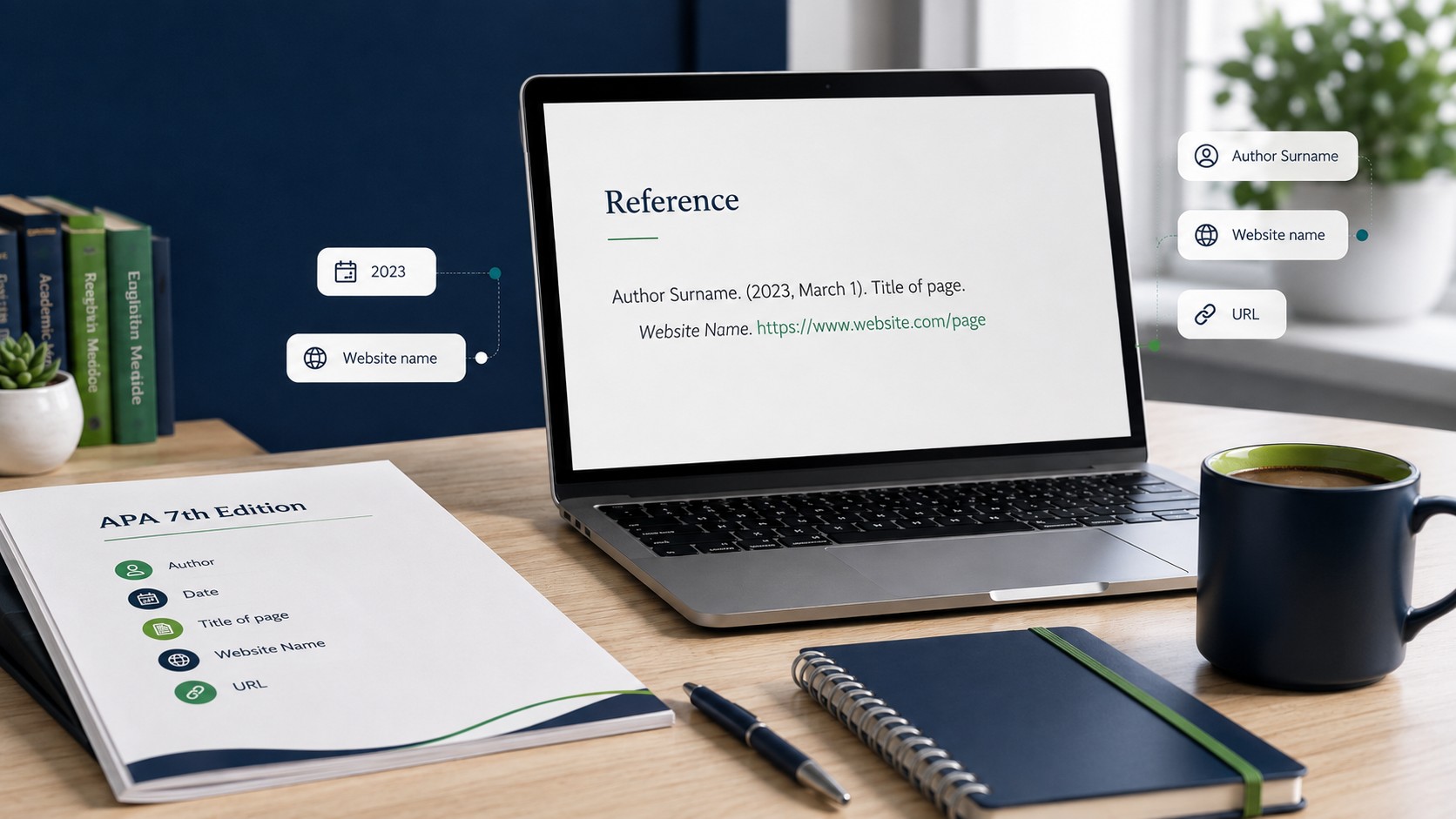
APA 7 builds almost every reference from four questions: Who is responsible for the work? When was it published? What is it called? Where can it be found? For a website, the answers map neatly onto four elements: author, date, title, and source. Once you can identify these four pieces of information, the rest is just arranging them correctly.
Author
The author is the person or organisation responsible for the content. For an individual, you invert the name so the surname comes first, followed by initials, for example Smith, J. A. When several people share responsibility, list them in the order they appear on the page. If a company, government body, university, or association produced the content and no individual is named, that organisation becomes the author. Government departments, charities, and news outlets are commonly cited as group authors.
Date
The date is the year the page was published or last meaningfully updated, placed in round brackets. For many online sources you will use only the year, such as (2023). Some page types, particularly news articles and blog posts, require a fuller date in year, month, day order, such as (2023, June 14). If you truly cannot find any date, you use the abbreviation n.d., which stands for no date.
Title
The title is the name of the specific page or document you are referencing, not the name of the whole website. In an APA 7 website reference the title of a standalone web page is written in italics using sentence case, which means you capitalise only the first word of the title, the first word after a colon, and any proper nouns. Everything else stays lowercase.
Source
The source tells your reader where to find the page. It usually has two parts: the name of the website that hosts the page, and the full URL. There is one important nuance here. When the author and the site name are the same, for example when an organisation writes content on its own site, you do not repeat the name. You give the organisation as the author and go straight to the URL.
Basic template: Author. (Year, Month Day). Title of the page in italics. Site Name. https://www.example.com/full-page-address
How to Write the In-Text Citation
In APA 7 you cite a website in two places: briefly inside the sentence where you use the idea, and in full in the reference list at the end. The in-text citation uses the author and year system. It points your reader to the matching full reference, so the two must always agree on the author name and the year.
You can present the in-text citation in two ways. A parenthetical citation puts both the author and year inside brackets at the end of the sentence, for example (National Health Service, 2023). A narrative citation weaves the author into your sentence and places only the year in brackets, for example: The National Health Service (2023) recommends a balanced approach.
When you quote a source word for word, you should also point the reader to the exact location. Web pages often have no page numbers, so APA 7 lets you use a paragraph number instead, written as para. 4, or a section heading if the page is divided into named sections. For a paraphrase, which is usually the better choice in academic writing, the author and year are enough.
Handling group authors in the text
When an organisation is the author, you can abbreviate a long, well known name after the first mention. The first time you cite the World Health Organization, you write the name in full and add the abbreviation, for example (World Health Organization [WHO], 2022). After that you can simply use (WHO, 2022) for the rest of the assignment. Only abbreviate names that readers will readily recognise, and always introduce the abbreviation before you use it.
Common slip: A URL never belongs in an in-text citation. The full web address lives only in the reference list. In the body of your assignment you use the author and year, nothing more.
Reference List Examples for Different Website Types
The best way to master the format is to see it applied to the kinds of pages you actually cite. The table below shows the reference list format for the most common website types, using placeholder details so you can see exactly where each element sits.
| Website type | Reference list format |
|---|---|
| Page with an individual author | Author, A. A. (Year, Month Day). Title of page. Site Name. https://www.example.com/page |
| Page by an organisation (author = site) | Organisation Name. (Year). Title of page. https://www.example.com/page |
| Online news article | Author, A. A. (Year, Month Day). Title of article. News Outlet Name. https://www.example.com/article |
| Blog post | Author, A. A. (Year, Month Day). Title of post. Blog Name. https://www.example.com/post |
| Page with no author | Title of page. (Year). Site Name. https://www.example.com/page |
| Page with no date | Author, A. A. (n.d.). Title of page. Site Name. https://www.example.com/page |
Notice how the same skeleton repeats every time. You are always answering the same four questions in the same order. When one element is missing, you do not leave a gap; you follow the specific rule for that missing piece, which we cover next.
Referencing eating into your writing time?
If your reference list is taking longer than the essay itself, our academic team can format your citations and check your sources against APA 7 so you can focus on the argument.
Tricky Cases: Missing Author, No Date, and Awkward Sources
Most referencing problems come from web pages that refuse to give you all four elements neatly. APA 7 has a clear rule for each gap, so you are never left guessing.
No named author
First, check carefully for a group author. Many pages that seem to have no author are actually written by the organisation that runs the site, so the company, department, or association becomes the author. Only when there is genuinely no author of any kind do you move the title to the front of the reference. In that case the title takes the author position, and your in-text citation uses a shortened version of the title in place of a name, with the year alongside it.
No date
If the page shows no publication or clear update date, use n.d. in the date position, both in the reference list and in the in-text citation, for example (Smith, n.d.). Resist the urge to guess a year from copyright notices at the bottom of the page, because a site-wide copyright date is not the same as the date the specific page was published.
Do you need a retrieval date?
Under APA 7, most web pages do not need a retrieval date. You only add one when the content is designed to change over time and is not archived, such as a live map, a real time data dashboard, or a dictionary entry that updates. For a normal article, report, or blog post that stays the same once published, no retrieval date is required.
Very long or ugly URLs
Use the direct, working link to the specific page rather than a giant tracking URL full of extra codes. Where a source provides a shorter permanent link or a stable identifier, prefer that. Do not add manual line breaks or hyphens inside a URL to make it fit, because that can break the link.

Formatting Your Reference List Correctly
Individual references are only half the job. APA 7 also has rules for how the whole reference list is presented, and these are easy marks that many students lose simply by overlooking them.
- Start the reference list on a new page with the heading References, centred and in bold.
- Order every entry alphabetically by the first element, usually the author's surname or the organisation name.
- Use a hanging indent, where the first line of each reference sits at the margin and every following line is indented.
- Double space the entire list, with no extra blank lines between entries unless your institution says otherwise.
- Keep punctuation and italics consistent, since inconsistent formatting is one of the most common reasons for lost referencing marks.
If your assignment brief or department provides its own referencing guide, always follow that guide where it differs from the general rules, because institutions sometimes adapt APA slightly for their own courses.
A Simple Workflow to Cite Websites Without Stress
Referencing feels overwhelming when you leave it all to the end. A light workflow while you research keeps everything under control and saves hours later.
Capture as you go
The moment you use a web page, copy its title, author, date, and URL into a working document. Recovering these details later, after tabs have closed, wastes far more time.
Build the reference first
Write the full reference list entry straight away, then create the matching in-text citation from it. Working outward from the full reference keeps the two versions in agreement.
Check author and year match
Every in-text citation must point to a reference that shares the same author and year. Scan both sides and fix any that do not line up before you submit.
Review, do not just trust tools
Citation generators speed things up but often mislabel dates, authors, and italics. Treat any auto-generated reference as a draft and check it against the four core elements.
The official APA Style website is a reliable place to confirm any format you are unsure about, and you can read more detail on their pages at https://apastyle.apa.org. When in doubt, match your reference to the closest official example rather than inventing a new arrangement of the elements.
Final tip: Consistency beats perfection. Even if one unusual source is tricky, applying the four core elements the same way across your whole reference list produces clean, credible referencing that markers trust.
Frequently Asked Questions
How do I cite a website in APA 7 when there is no author?
First check whether an organisation is responsible for the page, because it usually becomes the author. If there is genuinely no author, move the page title to the author position at the front of the reference, and use a shortened form of the title with the year in your in-text citation.
Do I need to include a retrieval date for a website?
Usually not. APA 7 only asks for a retrieval date when the page is designed to change over time and is not archived, such as a live dashboard or a continually updated entry. For a normal, stable article or report, you leave the retrieval date out.
Should the whole URL go in my in-text citation?
No. The in-text citation only contains the author and the year, plus a paragraph number or section heading for direct quotes. The full URL belongs only in the matching reference list entry at the end of your assignment.
Can I trust a citation generator to cite a website in APA 7?
Generators are a useful starting point, but they frequently get dates, author names, and italics wrong. Always treat the output as a draft and check it against the four core elements of author, date, title, and source before you submit.
Hand in clean, correctly referenced work
Let EasyAssignments help you format citations, check your sources, and polish your reference list so your marks reflect your effort, not a formatting slip.